

Smart Home Dreams, Realistic Budgets
A fully automated home, with lights adjusting to your mood and doors locking themselves, sounds appealing, like something from a futuristic movie. But this level of automation can get expensive. Many assume a 'smart home' requires a big investment, especially with premium brands.
Building a good smart home doesn't have to break the bank. In 2026, affordable devices and accessible technology make it possible to create a comfortable and convenient automated setup for under $500. Budget-friendly options deliver real value, and this guide shows you how to use them.
Prioritize what you really want to automate: security, lighting, or convenience? Focus your budget on devices that make the biggest impact. This guide explores options for maximizing value without sacrificing quality. It's about having the right smart gadgets, not every smart gadget.
Aqara: The Budget Champion
Aqara is a consistent recommendation for affordable smart home devices. They offer excellent value, especially for beginners. Their affordability comes from using the Zigbee protocol.
Zigbee is a low-power wireless protocol ideal for smart home devices. Unlike Wi-Fi, which can get congested, Zigbee creates a mesh network where devices relay signals, extending range and improving reliability. You need an Aqara Hub to connect these devices to your home network, but the hub is reasonably priced.
Start with the Aqara Hub M2. Add Aqara Door and Window Sensors to monitor entry points, providing peace of mind and automating tasks like turning on lights when a door opens. Aqara Smart Plugs control lamps, fans, and other appliances remotely. Setting up a Zigbee network has a slight learning curve, but the stability and reduced Wi-Fi congestion are worth it. A hub and a few sensors/plugs cost about $80-$150.
- Aqara Hub M2: The central control point for your Aqara devices.
- Aqara Door and Window Sensors: Monitor entry points and trigger automations.
- Aqara Smart Plugs: Control appliances remotely.
- Aqara Wireless Mini Switch: A versatile button for triggering scenes or automations.
Aqara Smart Home Starter Kit: Affordable Automation Essentials

Matter controller and Thread border router for broad compatibility · Supports Zigbee, Bluetooth, Wi-Fi, PoE, and IR · Integrates with major smart home platforms like Alexa, HomeKit, and Google Home
This versatile hub acts as the central brain for your smart home, connecting various devices and protocols for seamless automation.

Wireless door and window sensors for security and automation triggers · Compact design for discreet placement · Requires an Aqara Hub for connectivity
These sensors provide essential security and automation capabilities, alerting you to open/closed states for enhanced home awareness.
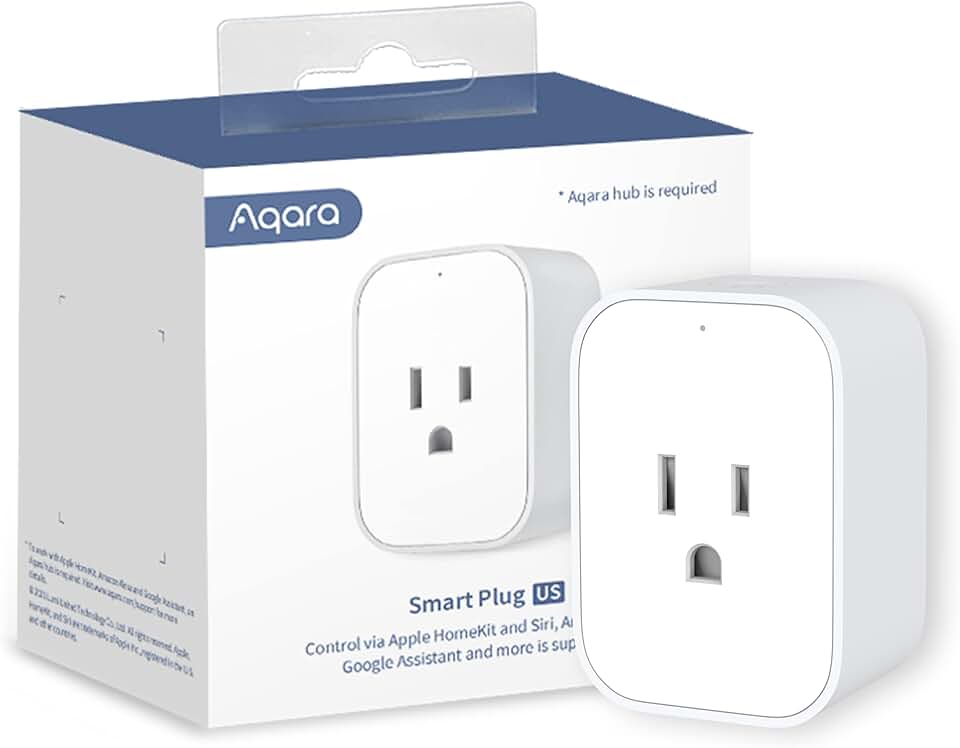
Smart plug with energy monitoring to track power consumption · Overload protection for safety · Enables scheduling and voice control for connected appliances
Control and monitor your non-smart devices, turning them into smart appliances with scheduling and energy insights.
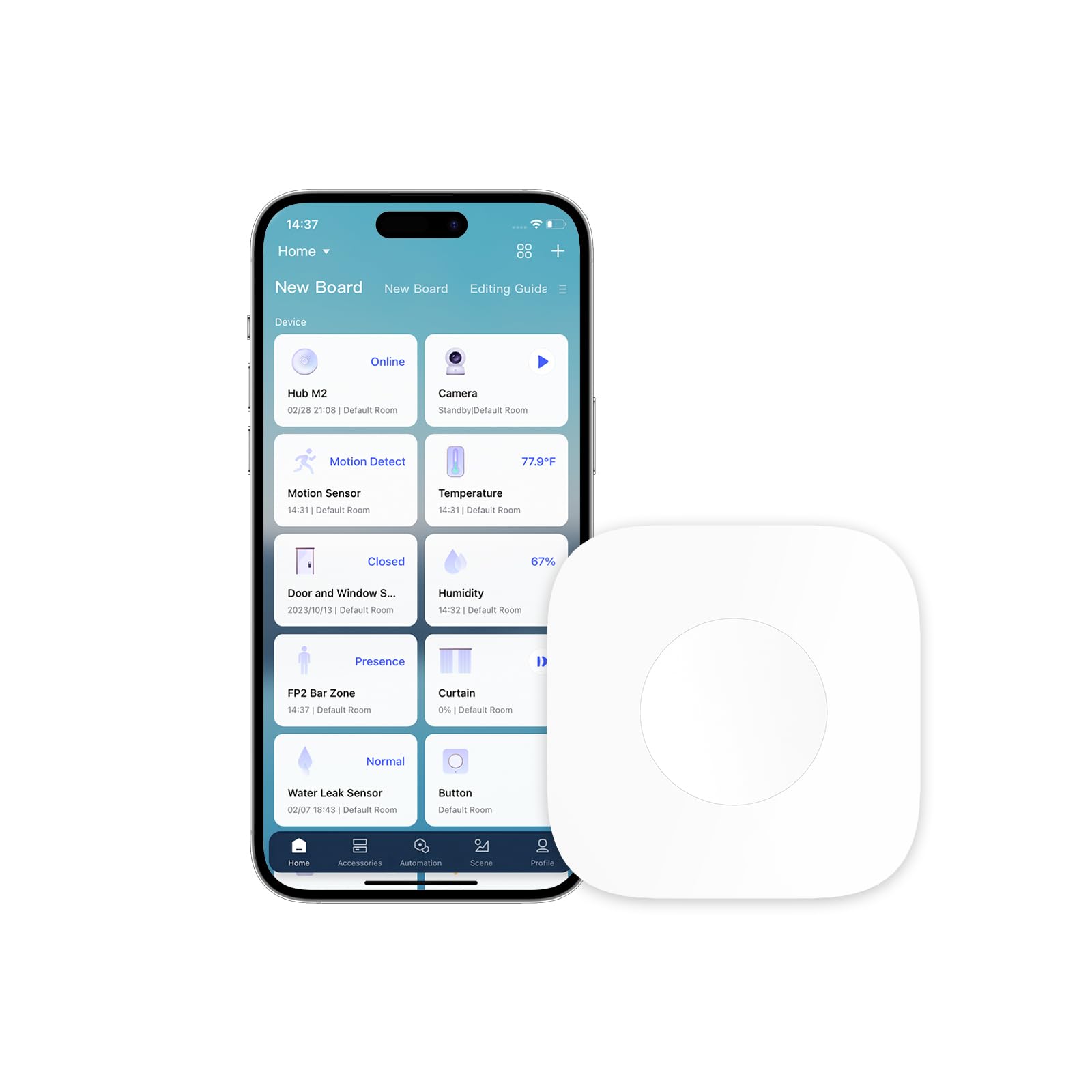
Wireless, battery-powered button for quick actions · Can trigger multiple automations with single, double, or long presses · No hub required for basic functionality, but integrates with Aqara hubs for advanced features
This simple yet powerful switch allows for instant control of your smart home scenes and devices without needing to open an app.

Wireless temperature and humidity sensors for environmental monitoring · Provides real-time data for climate control automation · Requires an Aqara Hub for connectivity
Monitor and automate your home's climate for optimal comfort and energy efficiency by tracking temperature and humidity.
As an Amazon Associate I earn from qualifying purchases. Prices may vary.
Eufy: Security Without the Premium
Security is a major concern for smart home automation. Eufy is a popular choice for reliable security without the hefty price tag of brands like Ring or Nest. Eufy cameras are praised for their image quality and features.
The Eufy SoloCam S4 is a great option. It's a wireless, battery-powered camera with local storage, meaning footage is stored on the device, not in the cloud. This saves money by avoiding monthly subscription fees. EufyCam Lite is another solid choice, with a lower price point and comparable features.
There are trade-offs. The SoloCam S4 might have lower resolution than high-end cameras, and its features might be less extensive. But for most homeowners, local storage and affordability outweigh these drawbacks. Eufy offers cloud storage, but local storage keeps costs down and protects privacy. A single Eufy SoloCam S4 costs about $100-$150.
- Eufy SoloCam S4: Wireless security camera with local storage.
- EufyCam Lite: More affordable security camera option.
- Eufy Security Hub: Integrates with Eufy cameras and other security devices.

eufy Security SoloCam S220, Solar Security Camera, Wireless Security Camera Outdoor, 2K Resolution, Continuous Power, Build in 8GB, No Subscription, HomeBase 3 Compatible, for Outdoor Surveillance
- 2K Resolution for clear video
- Solar powered for continuous charging
- 8GB local storage, no monthly fees
- HomeBase 3 compatible for expanded system
The eufy Security SoloCam S220 offers a compelling combination of solar-powered convenience, 2K video clarity, and local storage, making it an ideal budget-friendly addition to your smart home security setup without recurring subscription costs.
View on Amazon →As an Amazon Associate I earn from qualifying purchases.
Smart Lighting: Beyond the Bulb
Smart lighting is an easy and impactful way to enhance your smart home. Wyze Bulbs are an excellent, affordable starting point, offering a wide range of colors and brightness. LED strip lights can also add ambiance and mood lighting to any room.
Consider the communication protocol when choosing smart lighting. Wi-Fi bulbs are simple to set up but can strain your network. Zigbee bulbs (like Aqara's) require a hub but offer better reliability and reduced congestion. For those feeling adventurous, DIY solutions using ESPHome allow control of lighting and other devices with custom code.
Create scenes and schedules to automate your smart lights. A "Movie Night’ scene can dim lights and turn on your TV. Schedule lights to turn on and off at specific times to simulate occupancy when you"re away. This adds convenience and saves energy. A starter kit of Wyze bulbs and a couple of LED strips costs under $75.
- Choose the right protocol (Wi-Fi, Zigbee, or DIY).
- Consider the brightness and color options.
- Think about how you want to use your smart lights (scenes, schedules, automation).
Voice Control: The Brains of the Operation
A voice assistant is the central hub for controlling your smart home. The Amazon Echo Dot (5th Gen) and Google Nest Mini are excellent, affordable, compact choices with a wide range of features. Both assistants let you control compatible devices with your voice, play music, set timers, and get information.
Setting up a voice assistant is straightforward: plug it in, connect it to Wi-Fi, and follow the companion app instructions. Link your smart devices to the assistant for voice control. For example, say "Alexa, turn on the living room lights’ or ‘Hey Google, lock the front door."
Be aware of privacy concerns with voice assistants. These devices listen for commands, raising data security questions. Mute the microphone when not in use and review privacy settings in the companion app to mitigate concerns. An Echo Dot or Nest Mini costs about $30-$50.
- Amazon Echo Dot (5th Gen): Affordable and popular voice assistant.
- Google Nest Mini: Another excellent voice assistant option.
- Privacy settings: Review and adjust to protect your data.
Echo Dot (5th Gen) vs. Google Nest Mini - A Comparative Overview
| Price | Voice Assistant | Compatibility | Privacy Features | Sound Quality |
|---|---|---|---|---|
| Okay | Good | Good | Limited | Good |
| Generally affordable, varies by sales | Alexa | Broad, supports many smart home brands | Amazon has a history of data collection concerns | Clearer vocals, improved bass compared to Nest Mini |
Illustrative comparison based on the article research brief. Verify current pricing, limits, and product details in the official docs before relying on it.
DIY Automation: Level Up Your Setup
DIY automation with ESPHome unlocks a new level of customization for those comfortable with coding. ESPHome turns inexpensive microcontrollers (like ESP32 boards) into smart home devices. Integrate custom sensors, create unique automations, and control devices not natively compatible with mainstream platforms.
This approach requires technical skill, but the possibilities are endless. Build a custom temperature sensor, automate your garage door, or create a smart irrigation system. Online resources and communities can help you get started. An ESP32 board costs about $10-$20.
Be prepared to spend time troubleshooting and learning new skills. DIY automation is rewarding for those who enjoy tinkering and experimenting, allowing for a truly personalized smart home. The ESPHome documentation is a good place to begin.
- ESP32 board: The microcontroller that powers your DIY devices.
- ESPHome software: The platform for programming and controlling your devices.
- Online resources: Communities and documentation to help you get started.
Putting it All Together: Example Builds
Here are a few example builds to create a smart home within a $500 budget. "The Security Starter" focuses on protecting your home.
"The Comfort Creator’ prioritizes convenience and energy savings. It includes an Aqara Hub M2 ($30), three Aqara Smart Plugs ($60), a set of Wyze Bulbs ($30), and an Amazon Echo Dot ($40) – totaling around $160. ‘The Voice-Controlled Hub" is a basic setup that gives you voice control over your smart devices. It includes an Amazon Echo Dot ($40) and four Wyze Bulbs ($40) – totaling around $80.
These are just starting points, of course. You can customize these builds to fit your specific needs and preferences. Remember to factor in shipping costs and potential sales tax. It’s definitely possible to create a functional and enjoyable smart home experience for under $500, even with current pricing. It's about making smart choices and prioritizing the features that matter most to you.
- The Security Starter: EufyCam, Aqara sensors, Aqara Hub (~$190)
- The Comfort Creator: Aqara Hub, Smart Plugs, Wyze Bulbs, Echo Dot (~$160)
- The Voice-Controlled Hub: Echo Dot, Wyze Bulbs (~$80)
Featured Products

Vibrant sounding speaker designed for Alexa · Great for bedrooms, dining rooms, and offices · Newest model
This compact smart speaker provides a great entry point into voice control and smart home integration.

Control appliances remotely via Wi-Fi · Works with Alexa, Google Home, and IFTTT · No hub required
These smart plugs allow you to make any traditional appliance smart, offering convenience and energy savings.

Includes Hue Bridge and four color ambiance bulbs · Control lighting with app or voice commands · Compatible with Alexa, Google Assistant, and Apple HomeKit
This starter kit provides a comprehensive way to begin automating your home's lighting with millions of color options.

1080p HD indoor/outdoor security camera · Color night vision and two-way audio · Compatible with Alexa and Google Assistant
This versatile camera offers peace of mind with its advanced features for monitoring your home, pets, or babies.

2K video with wide-angle view and enhanced zoom · Improved low-light performance · Wired for continuous power and security
This doorbell provides advanced security features and clear video, ensuring you never miss a visitor or package.
As an Amazon Associate I earn from qualifying purchases. Prices may vary.
Beyond $500: Future Expansion
Once you’ve established a basic smart home setup, you can start to expand your automation capabilities. Smart thermostats, like those from ecobee or Honeywell, can help you save energy and improve comfort. Robot vacuums can automate your cleaning routine. And more advanced security systems can provide even greater peace of mind.
Building a smart home is an iterative process. Don’t feel like you need to do everything at once. Start small, prioritize your needs, and gradually add new devices and features as your budget allows. The beauty of smart home technology is its flexibility and scalability – you can always add more later.

No comments yet. Be the first to share your thoughts!