

Pick your smart home brain
The "brain" of your smart home is the software platform or hub that connects your devices and executes automation rules. Choosing the right one defines whether your system feels like a cohesive tool or a collection of disconnected apps. For smart home automation, the decision usually boils down to three paths: open-source local control, proprietary local hubs, or fully cloud-managed ecosystems.
| Platform | Control Style | Device Compatibility | Setup Difficulty |
|---|---|---|---|
| Home Assistant | Local-first, open source | Extensive (Zigbee, Z-Wave, Matter, Wi-Fi) | Advanced |
| Hubitat | Local-only, closed ecosystem | Strong (Zigbee, Z-Wave, Hubitat-specific) | Intermediate |
| Ecosystem Hubs (Apple, Google, Amazon) | Cloud-dependent | High (proprietary protocols + Matter) | Beginner |
Home Assistant appeals to tinkerers who prioritize privacy and local execution over convenience. It runs on your own hardware and connects to nearly every protocol, but it requires technical setup. Hubitat offers a similar local-first experience with a more user-friendly interface, though it supports fewer devices than Home Assistant. These options ensure your lights and locks work even when your internet goes down.
Cloud-based hubs from Apple, Google, and Amazon prioritize ease of use. They handle the heavy lifting of connectivity and updates, making them ideal for beginners. However, this convenience comes at the cost of privacy and dependency on an internet connection. If your smart home automation relies on cloud servers, a outage means your home stops responding.
Secure your entry points
Smart locks and video doorbells form the first line of defense in any smart home automation setup. Unlike traditional keys, these devices let you monitor who is at your door and grant access remotely, integrating directly with your central hub for automated routines.
When selecting hardware, prioritize reliability and security protocols over flashy features. Look for devices that support encrypted communication and offer local storage options for video footage, ensuring your privacy isn't compromised by cloud-only solutions.
The following options represent reliable choices for securing your entry points. They are selected for their robust integration capabilities with major smart home ecosystems.


As an Amazon Associate, we may earn from qualifying purchases.
Automate lighting and climate
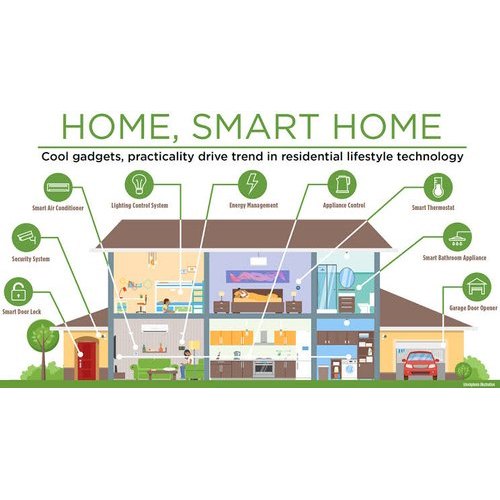
Smart home automation thrives on the twin pillars of comfort and efficiency. By integrating smart thermostats and lighting systems, you create an environment that adapts to your schedule rather than forcing you to adjust to it. These devices work quietly in the background, reducing energy waste while maintaining the perfect ambiance for any time of day.
When selecting a thermostat, look for models that learn your habits. Devices like the Google Nest Learning Thermostat or the Ecobee Smart Thermostat use sensors and algorithms to adjust heating and cooling based on when you are home, asleep, or away. This proactive approach often leads to measurable reductions in utility bills without sacrificing comfort. Pairing these with smart vents or zone controllers can further refine temperature control for specific rooms.
Lighting automation goes beyond simple on/off switches. Smart bulbs and switches from brands like Philips Hue or LIFX allow you to adjust color temperature and brightness. Warm light in the evening supports better sleep, while bright, cool light in the morning boosts alertness. Grouping lights by room or function enables complex routines, such as dimming the living room lights when a movie starts or turning on porch lights at dusk.


As an Amazon Associate, we may earn from qualifying purchases.
Set up DIY automation routines
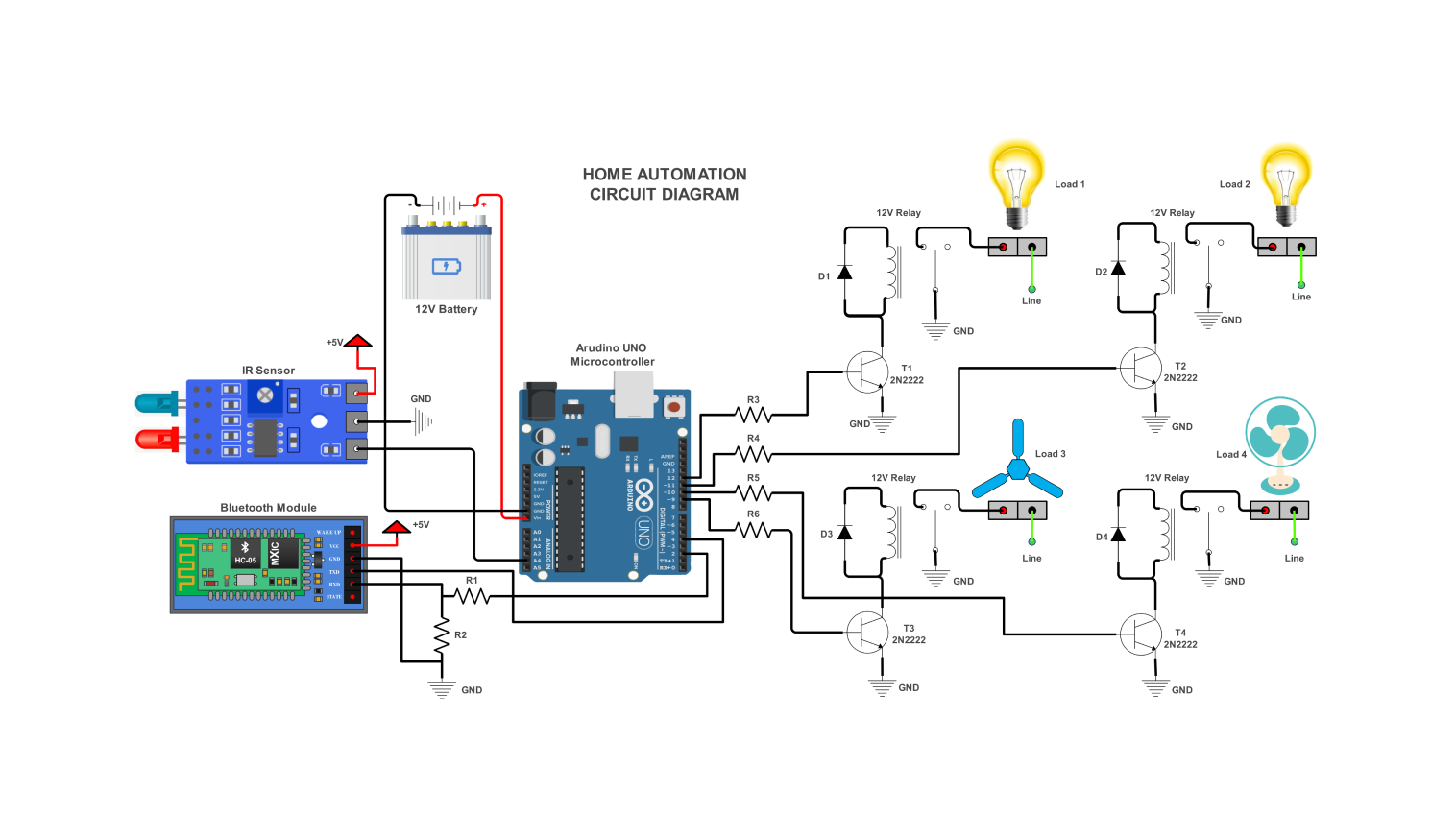
Once your hardware is installed and connected to your hub, the real magic of smart home automation begins: the routines. These are the logic chains that trigger actions based on time, location, or device states. For tech enthusiasts, building these locally via platforms like Home Assistant offers the most control, ensuring your home responds instantly without relying on cloud latency.
Start with a "Good Morning" routine. This is the most popular automation because it replaces multiple manual interactions with a single trigger. Configure your smart lights to gradually increase brightness at sunrise, while your smart speaker reads out the weather and your calendar. If you have a smart coffee maker or a connected kettle, tie it into this sequence so your morning beverage is ready the moment you leave the bedroom.
Next, implement an "Away Mode" for security and energy efficiency. When your phone’s geofencing detects you’ve left a certain radius, trigger a script that locks smart door locks, arms your security cameras, and turns off all non-essential lights and HVAC zones. This not only deters intruders but also prevents energy waste from heating or cooling an empty house. Test this routine frequently to ensure your location services are accurate.
Finally, create context-aware lighting scenes. Instead of static on/off commands, use motion sensors and ambient light levels to adjust your home’s atmosphere automatically. For example, in the hallway, lights should turn on at 20% brightness when motion is detected between 10 PM and 6 AM, but at 100% during the day. This creates a responsive environment that feels intuitive rather than robotic.
Identify the event that starts the routine. This could be a specific time, a geofence entry/exit, or a sensor state change like a door opening. Be precise with your conditions to avoid false triggers.
Choose the devices that will respond. List every light, lock, or appliance that needs to change state. Ensure each device is online and responsive before adding it to the script to prevent errors.
Refine the routine with "if/then" statements. For instance, only turn on the porch light if it is dark outside. This prevents unnecessary energy use and ensures the automation makes sense in different contexts.
Manually trigger the routine to verify it works as expected. Check for delays or failed commands. Adjust timing or conditions based on your real-world experience, then schedule it to run automatically.


As an Amazon Associate, we may earn from qualifying purchases.
Is smart home automation worth the cost
Smart home automation is no longer a luxury for early adopters; it is a practical infrastructure upgrade. The value proposition rests on balancing the upfront hardware cost against long-term convenience, security, and energy efficiency. When devices communicate effectively, they reduce manual tasks and optimize resource usage.
The most significant return on investment often comes from energy management. Smart thermostats and automated lighting systems adjust based on occupancy and time of day, lowering utility bills without sacrificing comfort. Security devices like smart locks and video doorbells provide peace of mind and potential insurance discounts, offsetting their initial price over time.
However, the ecosystem must be interoperable. A fragmented system where devices require separate apps creates friction rather than convenience. Choosing a cohesive platform ensures that your investment in smart home automation delivers seamless daily utility rather than technical headaches.
No comments yet. Be the first to share your thoughts!