

Pick your automation hub
Your smart home needs a central brain to coordinate lights, locks, and climate control. The automation hub is the device that connects these separate gadgets into a single system. You can control everything from one app, set up routines, and keep your home running smoothly.
There are two main paths: open-source platforms like Home Assistant or proprietary ecosystems like Apple Home and Samsung SmartThings. Open-source hubs give you total control and privacy. Proprietary hubs offer easier setup and better support for major voice assistants.
Compare Smart Home Hubs
| Hub Name | Local Processing | Voice Assistant | Device Compatibility |
|---|---|---|---|
| Home Assistant | Yes | Requires Add-on | Matter, Zigbee, Z-Wave |
| Apple Home | Yes | Siri | HomeKit, Matter |
| Samsung SmartThings | Partial | Bixby, Alexa, Google | Matter, Zigbee, Z-Wave |
| Hubitat | Yes | Requires Add-on | Zigbee, Z-Wave |
Home Assistant is the top choice for privacy-focused users. It runs locally on your hardware, meaning your data stays in your house. It supports a wide range of protocols, including Matter, Zigbee, and Z-Wave. You can find it at home-assistant.io. Apple Home is ideal for iPhone users who want simplicity. It works seamlessly with Siri and supports most modern smart devices. Samsung SmartThings sits in the middle. It offers a good balance of features and compatibility, supporting both local and cloud processing. Hubitat is another strong local-only option, focusing on speed and reliability without cloud dependency.
Choosing the right hub depends on your technical comfort and existing devices. If you want plug-and-play convenience, stick with Apple or Samsung. If you want full control and privacy, look at Home Assistant or Hubitat.
Secure your entry points
Smart locks and security cameras form the outer wall of any automation system. They provide the first line of defense and the most visible proof that your home is protected. When choosing these devices, prioritize reliability and local control so your entry points stay secure even if your internet connection drops.
Smart locks with local control
A smart lock is only as good as its ability to work offline. Cloud-dependent locks can leave you locked out during outages. Look for models that store credentials locally on the device itself.
The August Wi-Fi Smart Lock (4th Gen) connects directly to your home network without needing a separate bridge. It supports both Bluetooth and Wi-Fi, allowing you to grant temporary access from anywhere while maintaining local authentication for physical keypads and app unlocks. Its sleek design fits most standard deadbolts, making it a practical choice for renters and homeowners alike.
For those who prefer a full replacement, the Yale Assure Lock 2 integrates seamlessly with major hubs like Samsung SmartThings and Hubitat. It features a thumbturn for easy exit and supports Z-Wave, which offers better mesh networking reliability than Wi-Fi in larger homes. Local processing ensures that scheduled unlocks and fingerprint recognition work instantly, regardless of cloud latency.
Security cameras with privacy in mind
Cameras should record when it matters without constantly streaming to the cloud. Local storage options protect your privacy and reduce monthly fees. Choose cameras with strong night vision and clear motion detection to avoid false alarms.
The EufyCam 3 uses dual-band Wi-Fi and includes a HomeBase 3 that stores footage locally. It offers solar charging options, so you never have to worry about battery life. The camera’s AI detection distinguishes between people, packages, and pets, reducing unnecessary notifications. This local-first approach keeps your video data private while still providing remote access when needed.
For a simpler setup, the Ring Indoor Cam (2nd Gen) plugs directly into a power outlet and connects via Wi-Fi. It integrates with Alexa for voice control and two-way talk. While it relies on cloud storage for video history, its affordability and ease of installation make it a solid choice for monitoring interior spaces like living rooms or hallways. Pair it with a smart lock to create a complete entry-point security loop.


As an Amazon Associate, we may earn from qualifying purchases.
Automate lighting and climate
Lighting and climate control deliver the fastest return on investment for smart home automation. Unlike niche gadgets, these systems address daily comfort and utility bills simultaneously. By replacing dumb hardware with connected devices, you gain granular control over energy usage without sacrificing convenience.
Smart lighting and switches
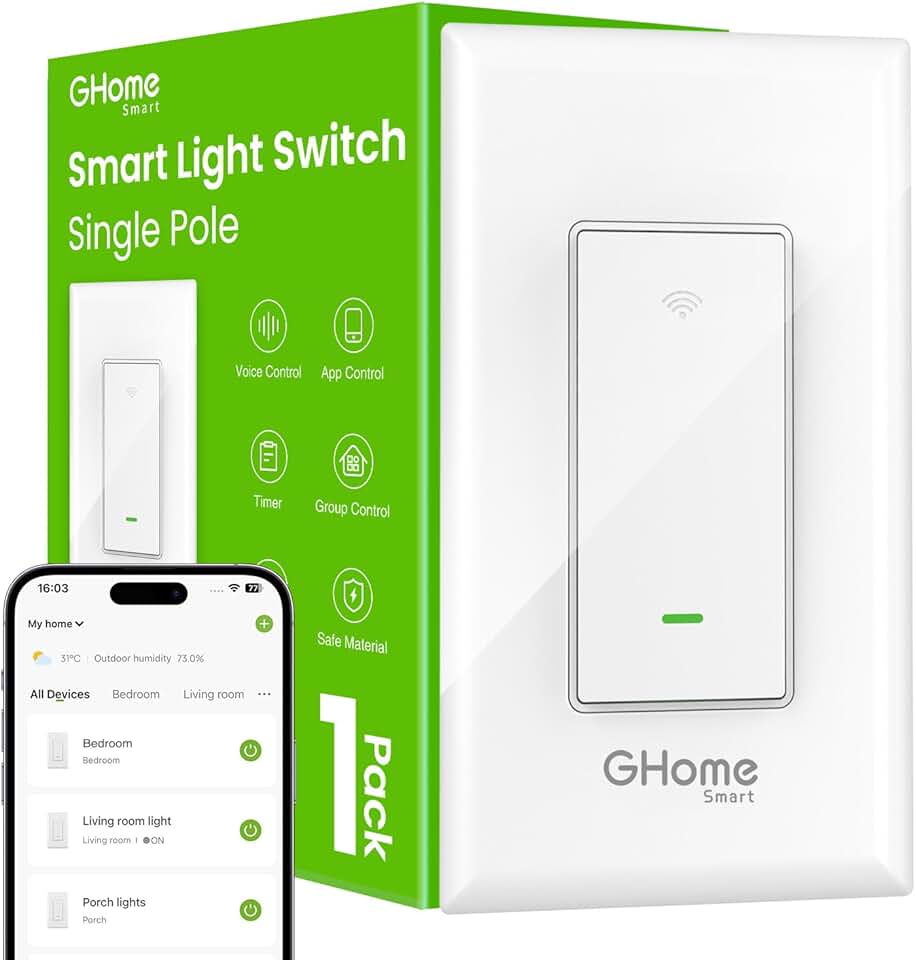
Smart bulbs offer instant gratification with color changes and scheduling, but smart switches provide a more robust solution for long-term reliability. They work with existing fixtures and ensure that lights can still be controlled manually if the Wi-Fi goes down. Look for switches that support neutral wires for stability, and bulbs that integrate seamlessly with your preferred voice assistant.
Smart thermostats
A smart thermostat is the brain of your home's climate system. These devices learn your schedule and adjust heating and cooling automatically, reducing waste when you are away or asleep. Many models include geofencing to detect when you leave the house, ensuring you never pay to cool an empty home.


As an Amazon Associate, we may earn from qualifying purchases.
Choose smart home software
Your choice of automation platform determines how your devices talk to each other and who holds the keys to your data. The market splits into two distinct camps: cloud-based ecosystems like Amazon Alexa and Google Home, and local open-source solutions like Home Assistant. Picking the right one depends on whether you prioritize zero-friction setup or complete privacy and control.
Cloud-based platforms are the default for most users because they work out of the box. When you buy a smart plug or bulb, you simply add it to the Alexa or Google Home app, and the service handles the complex networking in the background. This convenience comes at a cost: your voice commands, schedules, and usage habits are processed on remote servers. If the internet goes down, many of your automations stop working entirely. You are trading data privacy for ease of use.
Local open-source software like Home Assistant flips this model. It runs on a device in your home, such as a Raspberry Pi or a dedicated server, keeping all data on your local network. This means your lights stay on even if the internet cuts out, and no third party can listen to your routines. However, this approach requires more technical effort. You will spend time configuring integrations and troubleshooting connections rather than just tapping "add device." It is the difference between renting a furnished apartment and building a house from the ground up.
If you are new to smart home automation, start with a major cloud ecosystem to learn the basics. If you value privacy above all else or want to avoid subscription fees and vendor lock-in, invest the time to learn Home Assistant.
Start with simple DIY projects
You don’t need to rewire your entire house to see the benefits of smart home automation. The most effective entry points are low-cost, plug-and-play devices that solve specific, daily friction points. By focusing on high-impact simplicity, you can build a functional automated home without hiring a professional.
1. Automate your lighting
Lighting is the easiest way to start because it requires no wiring changes. Swap a standard bulb for a smart one, or place a smart plug behind an existing lamp. This lets you schedule lights to turn on at sunset or turn off when you leave, creating the illusion of occupancy and saving energy.


As an Amazon Associate, we may earn from qualifying purchases.
2. Set up a smart thermostat
Heating and cooling usually account for the largest portion of your energy bill. A smart thermostat learns your schedule and adjusts the temperature automatically. It provides immediate feedback on energy usage, making it one of the fastest ways to see a return on investment.


As an Amazon Associate, we may earn from qualifying purchases.
3. Secure your entry points
Smart locks and video doorbells offer peace of mind by letting you monitor who is at your door from anywhere. These devices often integrate with the same hub as your lights and thermostat, creating a unified security layer that is easy to manage from a single app.


As an Amazon Associate, we may earn from qualifying purchases.
4. Connect your entertainment
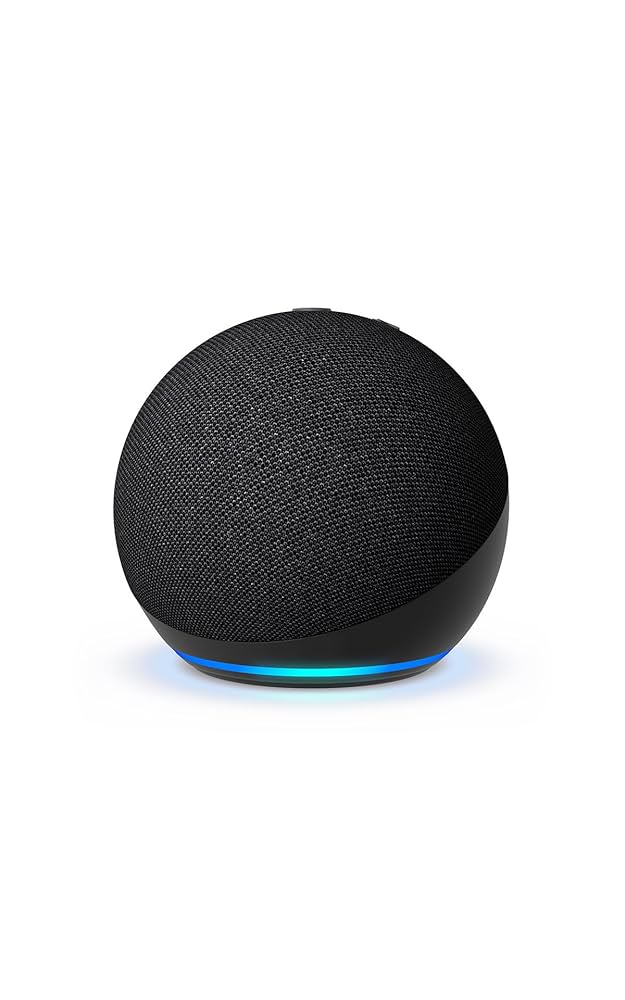
Streamers and smart speakers act as the brain of your living room. A smart speaker can control your other devices with voice commands, while a smart TV or streaming stick lets you automate your viewing routine. Start with one device to test voice control reliability in your space.

As an Amazon Associate, we may earn from qualifying purchases.
5. Test your routines
Automation is only useful if it works seamlessly. Start with simple "if this, then that" triggers, like turning off all lights when you say "goodnight." Test these routines daily for a week to ensure they are reliable before adding more complex scenarios.
Frequently asked: what to check next
Is smart home automation worth the cost?
Smart home automation offers tangible value through convenience, security, and energy efficiency. Devices like the Ecobee smart thermostat or Philips Hue lighting systems often pay for themselves over time by reducing utility bills and streamlining daily routines. While the upfront investment varies, the long-term returns in comfort and peace of mind generally outweigh the initial expense for most users.
How do I start automating my home without complexity?
Begin with a central hub like the Samsung SmartThings Hub or a voice assistant like the Amazon Echo Show to control compatible devices. Start small by automating high-impact tasks, such as scheduling lights to turn on at dusk or locking doors remotely. This approach lets you learn the ecosystem gradually without needing to overhaul your entire home network at once.
Can I automate my home without professional installation?
Yes, most modern smart home devices are designed for DIY setup. Products like the Yale Assure Lock 2 or Wyze Cam Plug-in can be installed in minutes using standard tools or no tools at all. For those who prefer open-source control, platforms like Home Assistant allow you to manage devices locally, though this requires a bit more technical comfort than cloud-based solutions.
No comments yet. Be the first to share your thoughts!