

Smart detection beats simple motion
For years, home security systems have largely relied on motion detection. The problem? They're easily fooled. A swaying tree branch, a curious animal, even a change in lighting can trigger a false alarm, leading to wasted time and a general sense of annoyance. By 2026, this approach feels increasingly outdated. We’re at a point where security systems need to do more than simply detect movement; they need to understand what's happening.
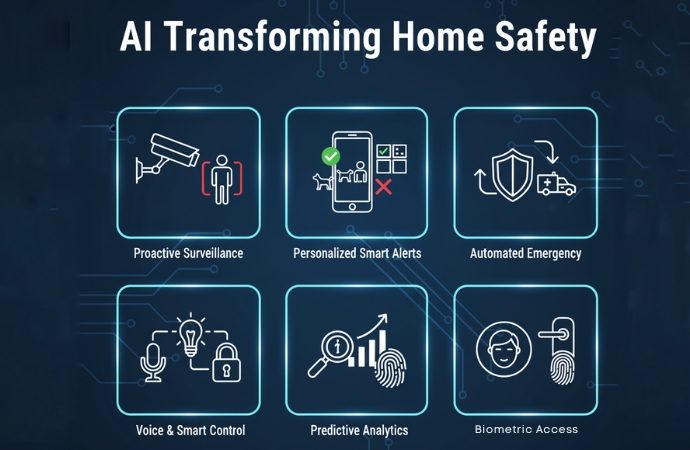
That's where artificial intelligence comes in. AI-powered security systems use object recognition and behavioral analysis to distinguish between genuine threats and harmless events. Instead of just alerting you to motion, these systems can identify a person, a vehicle, or even a specific package being delivered. They can also learn your routines and flag any unusual activity, like someone lingering near a window for an extended period.
You can build this yourself without a massive budget. Open-source tools have matured enough that you don't need a computer science degree to get started. These 2026 standards work on most hardware available now, so you can start immediately.
This isn't about replacing professional monitoring entirely – it's about adding a layer of intelligence and control to your home security. It's about building a system that truly understands your property and protects what matters most.
The hardware you actually need
Start with the cameras. 1080p works, but 4K is better if you need to read a license plate from the driveway. Watch out for wide-angle lenses; they cover more ground but the fish-eye distortion makes faces harder to recognize. If your porch is dark, prioritize a sensor with a high ISO range over raw resolution.
Many cameras now include on-device AI processing, meaning they can perform object recognition without sending data to the cloud. This offers improved privacy and faster response times. Reolink cameras, for example, are known for their local processing capabilities. Amcrest provides a good balance of features and affordability, while Wyze continues to be a popular option for budget-conscious users. By 2026, Wyze is offering more advanced AI features through subscription plans.
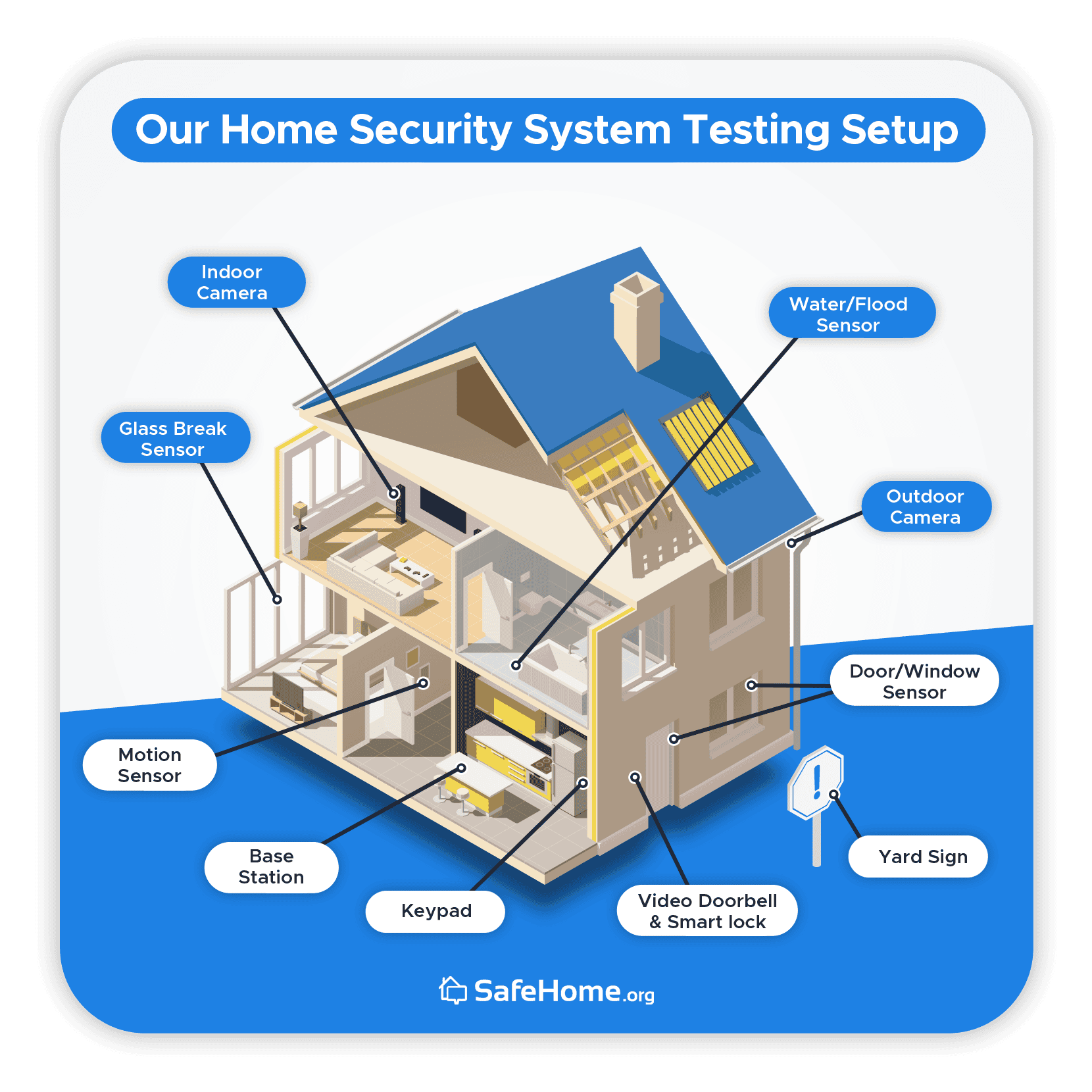
Beyond cameras, you'll need a way to store your footage. Local storage (using an SD card or a network-attached storage (NAS) device) offers greater privacy and control, but requires more technical expertise. Cloud storage is more convenient, but comes with ongoing subscription costs and potential privacy concerns. A base station or hub may be required depending on the camera system you choose – some cameras connect directly to your Wi-Fi network, while others require a dedicated hub.
Don't overlook the importance of sensors. Door and window sensors can detect unauthorized entry, while glass break detectors can alert you to forced entry. Integrating these sensors with your camera system creates a more comprehensive security solution. Consider also the power source – battery-powered sensors offer flexibility, while wired sensors provide greater reliability.
- Cameras from Reolink or Amcrest for local AI processing
- Storage: Local (SD card, NAS) vs. Cloud
- Sensors: Door/window sensors, glass break detectors
Smart Home Security Camera Comparison - 2026
| Brand | AI Detection Capabilities | Local Storage | Privacy Reputation | Open-Source Integration |
|---|---|---|---|---|
| Reolink | Offers person, vehicle, and event detection. Advanced features available with subscription. | Supports microSD card storage and Reolink NVR systems. | Generally considered good, with focus on user control over data. Reports suggest data encryption. | Integration possible via RTSP streams; community-developed integrations for platforms like Home Assistant exist. |
Illustrative comparison based on the article research brief. Verify current pricing, limits, and product details in the official docs before relying on it.
Choosing your software stack
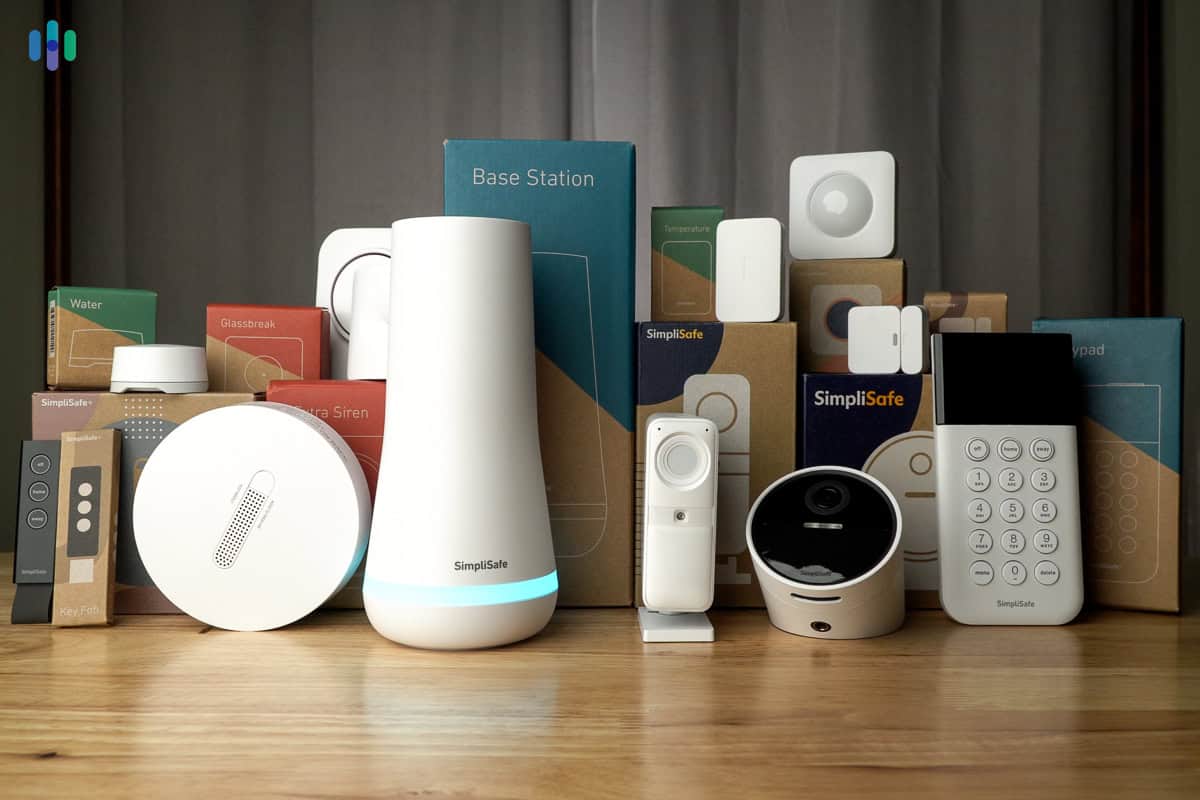
Once you've gathered the hardware, you need software to tie it all together. You essentially have two paths: commercial AI security platforms and open-source solutions. Platforms like SimpliSafe and Ring offer easy setup and professional monitoring, but they often come with limitations in customization and control. You’re largely locked into their ecosystem, and your data is stored on their servers.
For tech enthusiasts, the open-source route is far more appealing. Home Assistant and OpenHAB are two popular platforms that allow you to build a highly customized security system. These platforms support a wide range of devices and integrations, and they give you complete control over your data. They also offer a vibrant community of developers and users who are constantly creating new features and integrations.
The main trade-off with open-source solutions is the learning curve. Setting up and configuring Home Assistant or OpenHAB requires some technical knowledge and a willingness to tinker. However, the benefits – local control, privacy, and customization – are well worth the effort for those who are comfortable with a bit of DIY work. The initial time investment pays off in long-term flexibility.
I’ve personally found the Home Assistant community to be incredibly helpful. There are countless tutorials and forums available to guide you through the setup process, and the ability to integrate with virtually any smart home device is a major selling point.
How to train the detection model
Object recognition is the core of an intelligent security system. It relies on machine learning, specifically neural networks, to identify objects in your camera's field of view. The basic principle is simple: the AI is trained on a massive dataset of images, learning to associate specific patterns with different objects – people, cars, animals, packages, and so on.
You don’t necessarily need to start from scratch. Many platforms offer pre-trained models that you can use as a starting point. However, to achieve optimal performance, you'll need to fine-tune these models with your own custom datasets. This involves providing the AI with examples of the objects you want it to recognize in your specific environment.
Tools like TensorFlow Lite are designed for running machine learning models on edge devices – meaning directly on your camera or a local server. This reduces latency and improves privacy. The process of training the AI involves labeling images – identifying the objects in each image and telling the AI what they are. The more high-quality training data you provide, the more accurate the AI will become.
Data privacy is a crucial consideration. Be mindful of the images you collect and how you store them. Avoid collecting sensitive information, and ensure that your data is encrypted and protected from unauthorized access. Building a system that respects your privacy is just as important as building a system that is effective at detecting threats.
- Step 1: Choose a platform (Home Assistant, OpenHAB)
- Step 2: Select a pre-trained model
- Step 3: Collect and label training data
- Step 4: Fine-tune the model
- Step 5: Deploy the model to your cameras
Behavioral Analysis: Spotting Anomalies
Object recognition tells you what is happening, but behavioral analysis tells you if something is unusual. This goes beyond simply detecting a person on your property; it's about understanding their behavior and identifying potential threats. For example, a person loitering near a window for an extended period, or a vehicle stopping in front of your house at an odd hour, could be signs of suspicious activity.
Behavioral analysis relies on techniques like time-series analysis and anomaly detection algorithms. These algorithms learn your property’s normal patterns of activity and flag any deviations from those patterns. It's about establishing a baseline and then identifying events that fall outside of that baseline.
The challenge with behavioral analysis is minimizing false positives. You don’t want to be alerted every time your neighbor walks their dog or a delivery truck drives by. Careful tuning of the algorithms and a good understanding of your property’s normal activity are essential. This often involves setting thresholds and defining specific rules for what constitutes suspicious behavior.
By 2026, we’re seeing AI systems that can learn more complex behavioral patterns. They can, for example, differentiate between a delivery driver leaving a package and someone attempting to break into your home. This level of sophistication is making AI-powered security systems increasingly accurate and reliable.
Integrating Sensors & Automation
The true power of a smart security system comes from integrating it with other smart home devices. Combining AI-powered cameras with door/window sensors, motion sensors, and smart locks creates a comprehensive security solution. For example, if a door sensor detects a forced entry, the cameras can automatically start recording and send you an alert.
Automation rules can further enhance your security. You could create a rule that automatically locks all doors when a person is detected leaving the house, or a rule that turns on lights when suspicious activity is detected. These automations can deter potential intruders and provide you with peace of mind.
IFTTT (If This Then That) and Node-RED are popular platforms for creating these integrations. IFTTT is a cloud-based service that allows you to connect different smart home devices and create simple automations. Node-RED is a more powerful, open-source platform that gives you greater control over your automations. It requires more technical expertise, but offers greater flexibility.
Consider also integrating your security system with smart lighting. A sudden increase in outdoor lighting can deter intruders and provide better visibility for your cameras.
- Door/window sensors
- Motion sensors
- Smart locks
- Smart lighting
- IFTTT
- Node-RED
Smart Security Automations
- Person Detection & Lighting - When the Arlo Pro 5S detects a person on your property after sunset, Philips Hue lights automatically illuminate the front yard, deterring potential intruders and providing clear camera footage.
- Package Arrival Notification & Recording - Utilizing a Ring Video Doorbell Pro 2 and its package detection, the system triggers a recording and sends a notification to your phone, allowing you to monitor deliveries and prevent theft.
- Unusual Sound Detection & Alert - If a Google Nest Hub Max detects a glass break or shouting using its built-in sound detection capabilities, it immediately sends an alert to your smartphone and can optionally activate a siren via a connected Aeotec Siren 6.
- Pet-Specific Alerts & False Alarm Reduction - Leveraging the Wyze Cam v3’s person detection, the system filters out alerts triggered by pets. This reduces false alarms and focuses notifications on genuine security concerns.
- Simulated Occupancy While Away - When the system detects you've left home (using geofencing via a smartphone and SmartThings Hub), it activates smart plugs connected to lamps and a smart TV (like a Samsung QN90C) to simulate occupancy, deterring potential burglars.
- Emergency Contact Notification - If the Eufy Security Video Doorbell E340 detects prolonged loitering or forced entry, the system automatically sends SMS messages and calls to pre-defined emergency contacts.
- Gate/Garage Door Control Based on Facial Recognition - Using a Netatmo Smart Video Doorbell and its facial recognition feature, the system can automatically open a connected MyQ smart garage door opener when a recognized family member approaches.
Privacy Considerations & Best Practices
Privacy is paramount when building a smart security system. The very nature of surveillance raises privacy concerns, so it’s crucial to take steps to protect your data and the privacy of others. Encrypting video footage is a fundamental step – this ensures that your footage cannot be intercepted and viewed by unauthorized individuals.
Storing data locally whenever possible is another important practice. This gives you complete control over your data and reduces the risk of data breaches. If you choose to use cloud storage, carefully review the provider’s privacy policy and ensure that your data is protected with strong encryption.
Be transparent with family members about the system’s capabilities and how their data is being used. Obtain their consent before installing cameras in private areas. Comply with local privacy laws – these laws vary by jurisdiction and may regulate the use of surveillance technology.
Protecting your system against hacking is also essential. Use strong passwords, enable two-factor authentication, and keep your software up-to-date. Regularly review your system’s security settings and be mindful of potential vulnerabilities. A compromised security system is worse than no security system at all.
- Encrypt video footage
- Store data locally
- Be transparent with family
- Comply with local laws
- Protect against hacking


No comments yet. Be the first to share your thoughts!