

The 2026 Smart Home Landscape
The smart home market has become complicated. What began as a promise of simple convenience has evolved into a network of interconnected devices, protocols, and platforms. Consumers want more than just voice control; they want a home that anticipates their needs and operates seamlessly. This desire for control often clashes with the walled-garden approach of major tech companies.
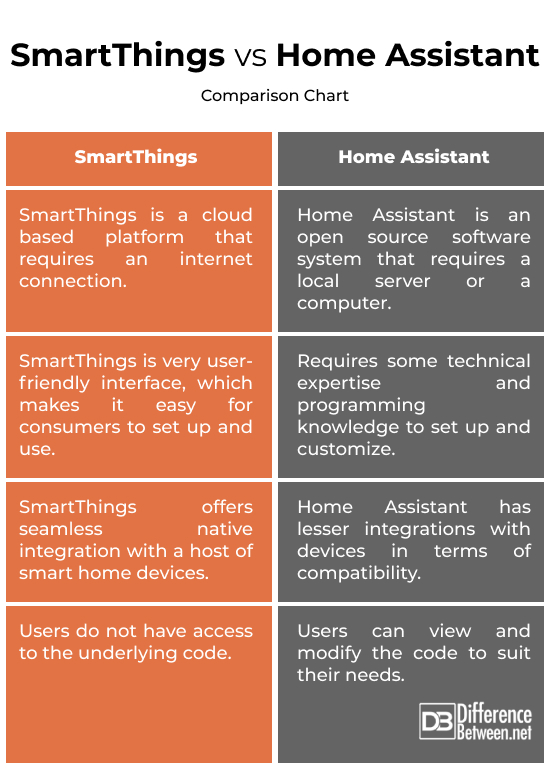
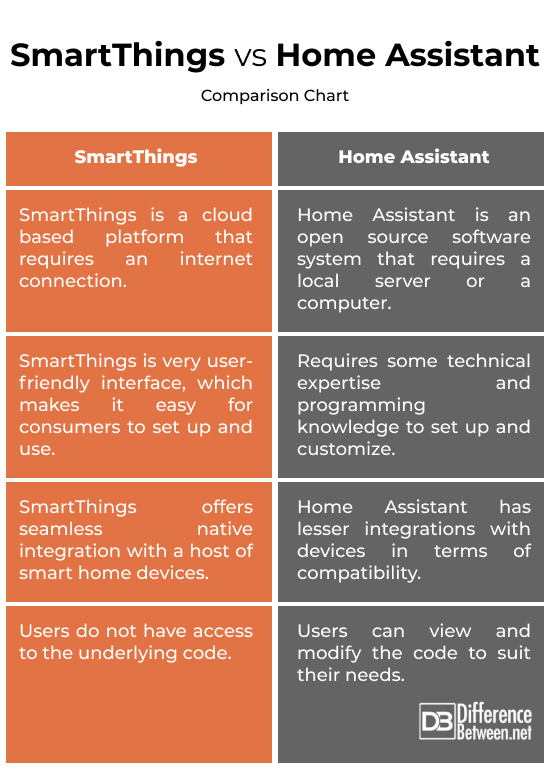
Home Assistant and SmartThings are key players in this evolution. SmartThings, acquired by Samsung, focuses on broad compatibility and ease of use. Home Assistant, from the open-source community, champions customization and local control. The tension between these two platforms mirrors larger debates in the smart home space: simplicity versus power, cloud versus local, and vendor lock-in versus open standards.
Privacy is a growing concern. Users are more aware of where their data is going and how it’s being used. This drives interest in solutions like Home Assistant, which prioritize local processing and minimize cloud reliance. The emergence of Matter as a unifying protocol promises to improve interoperability and security, though its full impact is still developing.
Home Assistant: Geek Freedom, Fully Realized?
Home Assistant appeals to DIY smart home enthusiasts. Its open-source nature means you’re not locked into any single vendor’s ecosystem, giving you complete control over your data and home operations. This freedom comes with a
Hardware options are plentiful. While it can be run on a Raspberry Pi, many users opt for more powerful hardware like a dedicated server or a networked attached storage (NAS) device to handle the demands of a complex smart home. This flexibility is a major draw for those who want to tailor their system to their specific needs. Running locally is a huge benefit, as it means your smart home continues to function even if your internet connection goes down.
The integration ecosystem is vast, supporting thousands of devices and services. However, this also means that stability can be an issue. Integrations are often maintained by community volunteers, and updates can sometimes introduce bugs or break compatibility. Recent updates, as discussed in some online sources, appear to be addressing some of these issues, but verifying details has proven difficult due to access issues with those sources. The community is the lifeblood of Home Assistant; forums and Discord channels are full of helpful users willing to share their knowledge and troubleshoot problems.
Home Assistant 2026.4.4, the latest stable release as of this writing, continues to refine the user interface and improve the onboarding experience. While it’s still not as polished as SmartThings, the developers are clearly making an effort to broaden its appeal. The documentation is comprehensive, but can be overwhelming for beginners.
- Hardware: Raspberry Pi, Intel NUC, NAS devices
- Operating System: Linux-based
- Programming: YAML, Node-RED
- Control: Local, with optional cloud access
SmartThings: Polished Simplicity, at a Cost?
SmartThings takes a very different approach. It prioritizes ease of use and simplicity, making it an attractive option for those who aren’t comfortable tinkering with code or configuring complex systems. Setup is straightforward, and the mobile app is intuitive and well-designed. This ease of use, however, comes at the cost of customization and control.
The SmartThings ecosystem revolves around the SmartThings Hub, which connects to your devices using various protocols like Wi-Fi, Z-Wave, and Zigbee. Compatibility is generally good, supporting a wide range of devices from major brands. However, SmartThings is heavily reliant on the cloud. Most processing and automation logic happens in Samsung’s servers, meaning your smart home won’t function properly without an internet connection.
This cloud dependency raises privacy concerns. Your data is stored on Samsung’s servers and may be subject to their privacy policies. While Samsung has implemented security measures, the risk of data breaches or unauthorized access remains. SmartThings offers subscription options – a free tier with limited functionality and paid tiers with additional features like cloud storage for video recordings and advanced automation capabilities.
Customization options are limited compared to Home Assistant. While you can create simple automations using the SmartThings app, more complex logic requires integration with third-party services like WebCoRE (which is increasingly deprecated) or IFTTT. These integrations can add complexity and introduce additional points of failure.
Integration Showdown: What Works With What?
Device compatibility is a major consideration when choosing a smart home platform. Both Home Assistant and SmartThings support a wide range of devices, but their approaches differ. SmartThings generally boasts broader out-of-the-box compatibility, while Home Assistant relies more on community-developed integrations.
Major brands like Philips Hue, Lutron, and Sonos generally work well with both platforms. Philips Hue integrates natively with both, offering full control of your lights. Lutron Caséta requires a Lutron Hub, but integrates seamlessly with both platforms. Sonos integration is also solid on both sides, allowing you to control your speakers and streaming music.
However, some devices may require more effort to integrate with Home Assistant. For example, certain niche devices may only be supported through custom components that require manual installation and configuration. SmartThings, on the other hand, often benefits from official integrations developed by the device manufacturers.
Here’s a quick protocol breakdown: Home Assistant supports Zigbee, Z-Wave, Wi-Fi, Bluetooth, and Matter. SmartThings supports Wi-Fi, Z-Wave, Zigbee, and Matter. The inclusion of Matter in both platforms is a positive step towards interoperability, but support is still evolving.
- Philips Hue: Native integration with both platforms
- Lutron Caséta: Requires Lutron Hub, seamless integration with both
- Sonos: Solid integration with both platforms
- Ecobee: Native integration with SmartThings, requires custom component in Home Assistant
- Ring: Native integration with SmartThings, custom component available for Home Assistant
Home Assistant vs. SmartThings: Device Support Comparison (2026)
| Device/Brand | Home Assistant | SmartThings | Notes |
|---|---|---|---|
| Philips Hue | Native Support | Native Support | Both platforms offer excellent, direct integration with Philips Hue lighting systems. |
| Lutron Caséta | Good Support (via Integration) | Native Support | Home Assistant relies on community integrations like HACS for Lutron, while SmartThings has native support. |
| Ecobee Thermostats | Native Support | Native Support | Both platforms provide robust control and automation capabilities for Ecobee thermostats. |
| Ring Devices | Good Support (via Integration) | Native Support | Home Assistant requires integrations for Ring, potentially with limitations on some features. SmartThings offers native integration, but privacy concerns regarding Ring have been noted by some users. |
| Sonos Speakers | Native Support | Native Support | Both platforms offer comprehensive control over Sonos audio systems, including grouping and playback controls. |
| Shelly Devices | Native Support | Good Support (via Integration) | Home Assistant has strong native support for Shelly’s wide range of devices. SmartThings support is available via community-developed integrations. |
| Aqara Devices | Good Support (via Integration) | Limited Support | Home Assistant benefits from strong community support for Aqara devices. SmartThings support is more limited and may require a hub. |
| Google Nest (Cameras/Thermostats) | Good Support (via Integration) | Native Support | Home Assistant relies on community integrations for Nest devices, which can sometimes be less reliable than native integrations. SmartThings offers native support. |
Illustrative comparison based on the article research brief. Verify current pricing, limits, and product details in the official docs before relying on it.
Automation Power: Rules vs. Routines
Automation is where the power of a smart home truly shines. Home Assistant excels in this area, offering unparalleled flexibility and control. Its integration with Node-RED, a visual programming tool, allows you to create complex automations with ease. You can also write automations directly in YAML, a human-readable data serialization language, for even greater control.
SmartThings, on the other hand, offers a simpler, rule-based automation system. You can create routines that trigger actions based on specific events, such as time of day, sensor readings, or device status. While this is easy to use, it’s less flexible than Home Assistant’s approach. Complex logic requires multiple routines or integration with third-party services.
For example, turning on lights at sunset is straightforward on both platforms. In Home Assistant, you can use Node-RED or YAML to create an automation that triggers based on the sunset time calculated from your location. In SmartThings, you can create a routine that turns on the lights at sunset, but you may have limited options for customizing the behavior.
Home Assistant allows you to create complex scenes and workflows that involve multiple devices and conditions. You can also integrate with external services like weather APIs to create automations that respond to real-world events. SmartThings’ scene capabilities are more limited.
Privacy and Security: Where Does Your Data Go?
Privacy and security are paramount concerns in the smart home. Home Assistant prioritizes local control and data privacy. Your data stays on your local network, and you’re not reliant on a cloud service to operate your home. This minimizes the risk of data breaches and unauthorized access. However, you’re also responsible for securing your own system.
SmartThings, being cloud-based, inherently poses greater privacy risks. Your data is stored on Samsung’s servers, and you’re subject to their privacy policies. While Samsung implements security measures like two-factor authentication and encryption, the risk of data breaches remains. The reliance on the cloud also means your smart home is vulnerable to outages and disruptions.
Both platforms offer security features like two-factor authentication and encryption to protect your data. However, Home Assistant’s local control architecture provides a more robust defense against unauthorized access. The emergence of Matter is intended to improve security by establishing a standardized protocol for secure communication between devices.
Here’s a quick privacy checklist:
Consider using a strong password and enabling two-factor authentication on both platforms. Regularly update your software to patch security vulnerabilities. Review the privacy policies of any third-party integrations you use. Be mindful of the data you share with your smart home devices.
- Enable two-factor authentication.
- Use strong, unique passwords.
- Keep software updated.
- Review privacy policies of integrations.
- Segment your network (consider a separate VLAN for IoT devices).
Geek Condo Verdict: Which Wins in 2026?
For tech enthusiasts and those who value customization, control, and privacy, Home Assistant is the clear winner in 2026. It offers unparalleled flexibility and the ability to tailor your smart home to your exact needs. However, be prepared to invest the time and effort to learn the system and maintain it.
If you prioritize ease of use, simplicity, and broad compatibility, SmartThings is a solid choice. It’s a great option for those who want a smart home that just works, without the need for constant tinkering. However, be aware of the privacy implications of relying on a cloud-based service.
The best platform ultimately depends on your individual needs and preferences. If you’re a DIY enthusiast who loves to experiment, Home Assistant is the way to go. If you’re a casual user who wants a simple and reliable smart home, SmartThings is a good option. Consider your technical skills, your privacy concerns, and your budget when making your decision.
Matter’s continued adoption could shift this balance in the future, potentially simplifying integration and improving security across both platforms. But as of 2026, the fundamental trade-offs remain: freedom and control with Home Assistant, versus simplicity and convenience with SmartThings.
- Amazon Smart Plug: A basic, affordable smart plug compatible with both platforms.
- Philips Hue Starter Kit: Provides a foundation for smart lighting, easily integrated with both.
- Lutron Caséta Dimmer Switch: Offers reliable dimming control, compatible with both.
- Ecobee Smart Thermostat: A popular smart thermostat, works natively with SmartThings and Home Assistant (with custom component).
- Sonos One: A versatile smart speaker, integrates seamlessly with both platforms.
Essential Hardware for Your Home Assistant or SmartThings Setup

Serves as a SmartThings Hub · Supports Zigbee and Matter protocols · Compatible with voice assistants like Alexa and Google Assistant
This hub acts as a central point for various smart home devices, offering broad compatibility and support for modern protocols.

Quad-core 64-bit processor · Integrated WiFi and Bluetooth connectivity · 4GB RAM for efficient multitasking
A versatile single-board computer ideal for running custom smart home software like Home Assistant due to its processing power and connectivity options.

Universal Zigbee 3.0 USB gateway · Includes deCONZ and Phoscon App for management · Compatible with Home Assistant, ioBroker, and Zigbee2MQTT
This USB gateway provides a robust connection for Zigbee devices, enabling seamless integration with popular open-source home automation platforms.
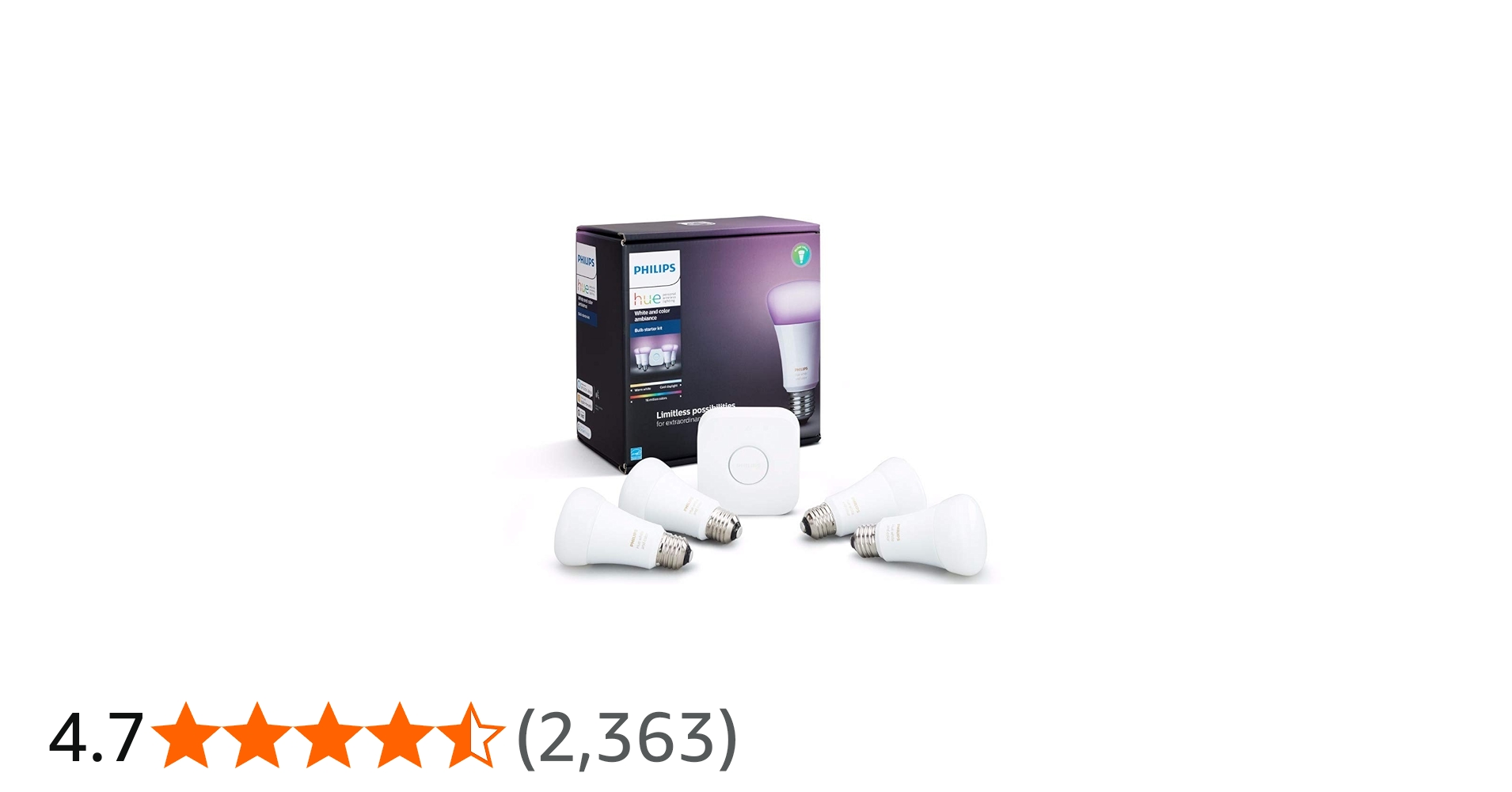
Full-color and white ambiance control · App-controlled lighting · Expandable smart lighting system
These smart bulbs offer customizable lighting experiences and are a popular choice for adding color and ambiance to any room.

No hub required for operation · Wi-Fi connectivity · Compatible with Alexa, Google Home, and IFTTT
These smart plugs offer a convenient and affordable way to control appliances and devices remotely, integrating easily with popular voice assistants.
As an Amazon Associate I earn from qualifying purchases. Prices may vary.

No comments yet. Be the first to share your thoughts!