

How Matter works in 2026
Matter is the connectivity standard that finally lets smart home devices talk to each other. For years, we were stuck in 'walled gardens' where an Apple HomeKit setup wouldn't talk to a Google Home hub. If you bought a Philips Hue bulb, you had to check three different compatibility logos before checking out. Matter changes that by providing a single language for every brand.
The Connectivity Standards Alliance (CSA) is the driving force behind Matter. Originally known as Project CHIP (Connected Home over IP), the initiative brought together companies like Amazon, Apple, Google, Samsung, and many others to address the growing pains of the smart home. The early days of Matter involved a lot of hype and initial compatibility issues, but by late 2026, we’re seeing a clear shift. It’s moved beyond the 'early adopter' phase and is becoming a genuinely viable option for mainstream consumers.
The problems Matter solves are deeply frustrating for tech enthusiasts. The walled garden approach meant choosing a single ecosystem and sticking with it, limiting choices and potentially increasing costs. Matter breaks down those walls, giving users the freedom to mix and match devices from different brands. It’s not a perfect solution, and setup can still be tricky at times, but the overall experience has improved dramatically. We’re seeing more devices natively supporting Matter, and fewer workarounds are needed.
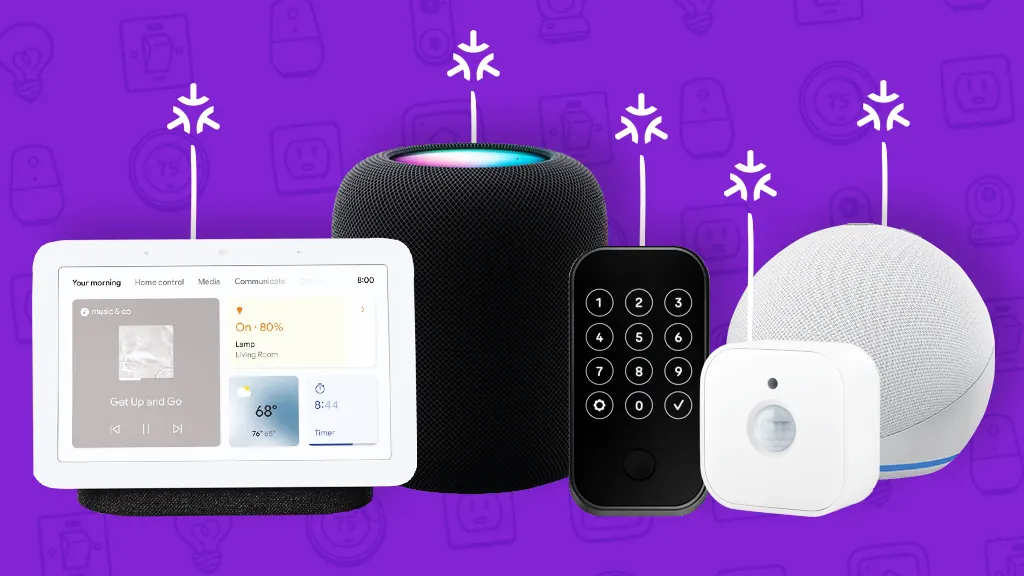
The best Matter hardware right now
I've tested dozens of Matter devices throughout 2026. While the standard ensures they connect, it doesn't guarantee the hardware is actually good. These are the specific models that didn't drop off my network or feel like cheap plastic.
In the realm of lighting, the Philips Hue Bridge (2026) remains a top contender. While Hue lights themselves aren’t always the cheapest, the reliability and breadth of features—including color scenes and granular control—are hard to beat. The bridge now offers native Matter support alongside Zigbee, giving you flexibility. Next up, the Nanoleaf Lines Mini are a standout for their modular design and vibrant colors. They integrate flawlessly with Matter, offering a unique aesthetic touch to any room. For simpler needs, the Eve Lighting Control Strip provides a cost-effective Matter-compatible solution.
Moving onto thermostats, the Ecobee Smart Thermostat Premium (2026) is a strong choice. It boasts excellent energy-saving features, remote sensors for better temperature distribution, and, crucially, Matter support. The Honeywell Home T9 Smart Thermostat offers a more streamlined experience and integrates well with existing Honeywell systems. For a more budget-friendly option, the Aqara Smart Thermostat delivers essential smart features and Matter compatibility at a competitive price point.
In security, the Eve Security System is a standout. It’s designed with privacy in mind, processing data locally and avoiding cloud dependency when possible. Its sensors are reliable and easy to install. The Ring Alarm Pro (2026), now fully Matter-compatible, provides a comprehensive security solution with professional monitoring options. However, be aware of Ring's data privacy policies. The Abode Iota All-in-One Security System offers a flexible and customizable security setup.
For entertainment, the Sonos Era 300 speaker is a premium option that delivers exceptional sound quality and seamless Matter integration. It's a bit pricey, but the audio performance is worth it for serious audiophiles. The Apple HomePod (2nd Generation) functions as a Matter hub and provides excellent sound, especially within the Apple ecosystem. The Samsung Q-Soundbar (2026) seamlessly integrates into Samsung SmartThings and supports Matter for easy control.
Finally, for smart plugs, the Eve Energy Smart Plug is a reliable and secure option. It provides energy monitoring and integrates nicely with Matter ecosystems. The TP-Link Kasa Smart Plug Mini (Matter) is a more affordable alternative, offering basic smart plug functionality with Matter support. The Meross Smart Plug Mini is another solid budget pick.
Featured Products

White and Color Ambiance lighting · E26 Base, 800 Lumens · Works with Alexa, Google, and Apple Home
These Matter-compatible smart bulbs offer seamless integration and vibrant lighting options, perfect for tech enthusiasts building a unified smart home ecosystem.

1000 Lumens, 16 Million+ RGBTW Colors · A19 E26 2.4GHz WiFi Bluetooth · Works with Alexa & Google Home
These Matter-compatible smart bulbs offer seamless integration and vibrant lighting options, perfect for tech enthusiasts building a unified smart home ecosystem.

800 Lumens RGB Color Changing · 90+ CRI Tunable White · Wi-Fi Smart Bulbs, Matter Compatible
These Matter-compatible smart bulbs offer seamless integration and vibrant lighting options, perfect for tech enthusiasts building a unified smart home ecosystem.

COB LED technology for smooth, uniform light · RGBICW with Warm White · Compatible with Alexa, Google Assistant and Matter
This Matter-compatible LED strip light offers seamless integration and vibrant lighting options, perfect for tech enthusiasts building a unified smart home ecosystem.
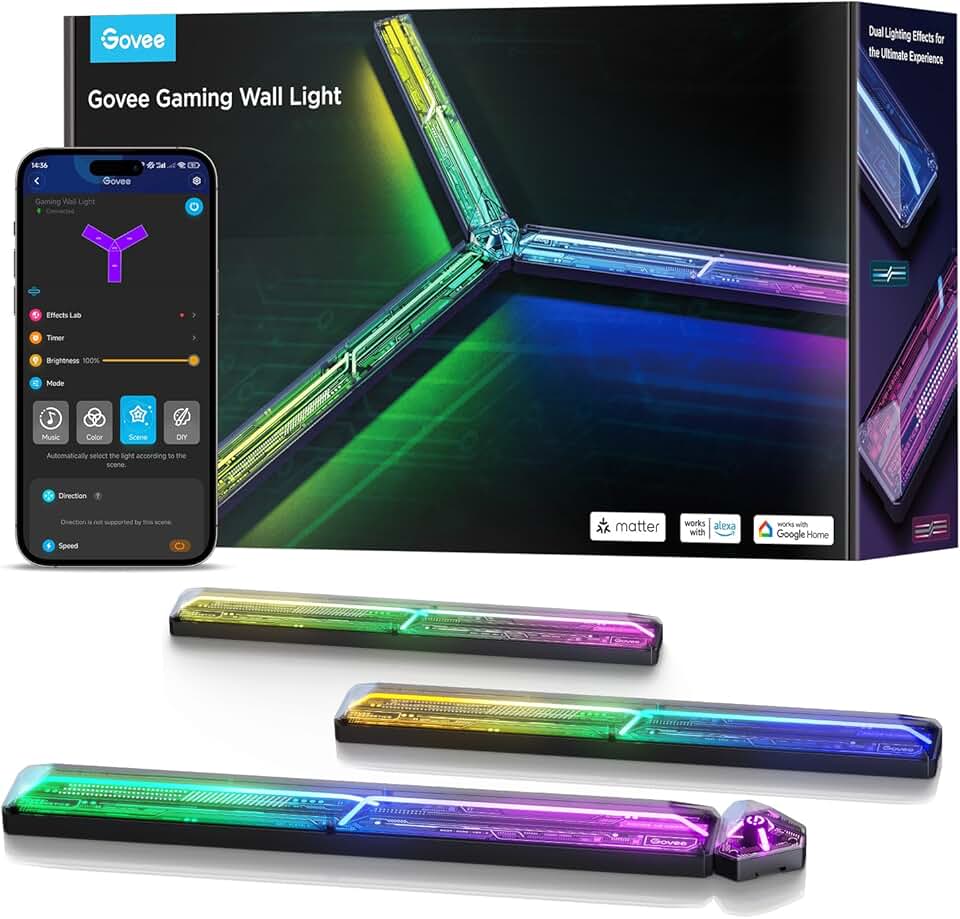
RGBIC Glide technology for dynamic effects · DIY Customized LED Wall Lighting Effects and Shapes · Works with Matter, Alexa and Google Assistant
This Matter-compatible gaming wall light offers seamless integration and vibrant lighting options, perfect for tech enthusiasts building a unified smart home ecosystem.
As an Amazon Associate I earn from qualifying purchases. Prices may vary.
Why you still need a hub
Not every Matter device requires a hub or bridge, but many do. Devices that utilize Thread, a low-power mesh networking protocol, often need a border router to connect to your Wi-Fi network and the internet. Other devices might rely on Wi-Fi directly, but a hub can still provide centralized control and automation features. Understanding which devices need what is crucial for a smooth Matter setup.
The Apple HomePod mini is a popular choice, acting as both a smart speaker and a Thread border router. It’s particularly well-suited for users heavily invested in the Apple ecosystem. The Amazon Echo (4th Gen) and newer models also function as Matter hubs, offering broad compatibility and integration with Alexa. However, Amazon’s approach to privacy is something to consider. The Google Nest Hub (2nd Gen) provides a similar experience, integrating with Google Assistant and supporting both Wi-Fi and Thread.
The Samsung SmartThings Station is a more versatile option, supporting a wider range of protocols—including Zigbee and Z-Wave—in addition to Matter. It’s a good choice for users with a diverse collection of smart home devices. Choosing the right hub depends on your existing ecosystem and your needs. If you're an Apple user, the HomePod mini is a natural fit. If you prefer Alexa, the Echo is a good option. SmartThings offers the most flexibility, but it can be more complex to set up.
Matter Hub Comparison - 2026
| Hub Model | Supported Protocols | Ease of Setup | Device Compatibility | Approximate Price |
|---|---|---|---|---|
| Apple HomePod mini | Thread, Wi-Fi, Bluetooth | Easy | Excellent (within Apple ecosystem), Good (cross-platform) | Roughly $99 - $149 |
| Amazon Echo (4th Gen) | Wi-Fi, Bluetooth, Zigbee (with update), Matter | Moderate | Good (extensive Amazon device support), Good (cross-platform) | Roughly $90 - $150 |
| Google Nest Hub (2nd Gen) | Wi-Fi, Bluetooth, Thread (with update), Matter | Moderate | Good (Google device focused), Good (cross-platform) | Roughly $80 - $130 |
| Samsung SmartThings Station | Wi-Fi, Thread, Zigbee, Z-Wave, Matter | Moderate | Excellent (SmartThings ecosystem), Good (cross-platform) | Roughly $70 - $120 |
| Eve Aqua HomeKit Smart Water Controller | Bluetooth, Matter | Easy | Excellent (HomeKit), Good (cross-platform) | Roughly $130 - $180 |
| Nanoleaf Shapes | Wi-Fi, Thread, Matter | Moderate | Good (lighting focused), Good (cross-platform) | Roughly $200 - $300 |
Illustrative comparison based on the article research brief. Verify current pricing, limits, and product details in the official docs before relying on it.
Privacy and local control
Security and privacy are paramount concerns in the smart home, and Matter attempts to address many of the vulnerabilities inherent in previous standards. Matter incorporates several security features, including secure commissioning (pairing devices), encryption of communication, and the use of authenticated devices. The goal is to prevent unauthorized access and protect user data.
One of the key improvements with Matter is the emphasis on local control. While many devices can still be controlled via the cloud, Matter allows for direct communication between devices on your local network, reducing reliance on cloud servers and minimizing potential attack vectors. However, this requires compatible devices and a Matter hub that supports local control. Strong passwords and regular firmware updates are still essential for maintaining a secure smart home.
Data privacy is another important consideration. Matter doesn’t dictate how manufacturers handle user data, so it’s important to review the privacy policies of the devices you choose. Look for devices that minimize data collection and prioritize local processing. While Matter improves security, it’s not a silver bullet. A layered security approach – strong passwords, local control where possible, and careful device selection – is still the best defense.
Beyond the Basics: Standout Matter Integrations
Matter’s real power lies in its ability to enable complex automations and integrations that were previously difficult or impossible to achieve. One particularly interesting example is a security system that automatically adjusts smart lighting and a smart thermostat when an intrusion is detected. For instance, if a door sensor is triggered, the lights can turn on, the thermostat can adjust to a less comfortable temperature, and an alarm can sound – all orchestrated seamlessly through Matter.
Another compelling integration involves voice control across different platforms. With Matter, you can control devices from different manufacturers using a single voice assistant – whether it’s Siri, Alexa, or Google Assistant. This eliminates the frustration of having to switch between apps or use different voice commands for different devices. Imagine saying 'Goodnight' and having all your lights turn off, the doors lock, and the thermostat adjust automatically, regardless of the brands of your devices.
We’re also seeing innovative use cases in energy management. Matter allows smart thermostats and smart plugs to work together to optimize energy consumption based on occupancy and usage patterns. For example, a smart plug can automatically turn off a device when it’s not in use, and a smart thermostat can adjust the temperature based on whether someone is home or away. These integrations are still evolving, but they demonstrate the potential of Matter to create a truly intelligent and responsive smart home.
Where Matter goes from here
The future of Matter looks promising. The CSA is continually working to improve the standard, adding new features and addressing existing limitations. One area of focus is expanding support for more device types, including appliances and entertainment systems. We can also expect to see improvements in security and privacy features, as well as more robust interoperability testing.
Another key trend is the integration of Matter with other emerging technologies, such as artificial intelligence (AI) and machine learning (ML). AI-powered smart homes will be able to learn user preferences and automate tasks more effectively, while ML will enable predictive maintenance and proactive security measures. Matter will play a crucial role in enabling these integrations.
While challenges remain—including ensuring consistent implementation across different manufacturers and addressing concerns about data privacy—Matter has the potential to transform the smart home experience. It’s a significant step towards a truly connected and interoperable future, giving users more control, more choice, and more peace of mind.

No comments yet. Be the first to share your thoughts!