

Matter in 2026: the reality check
Matter was supposed to end the smart home fragmentation headache. The pitch was simple: one language for every device. We're four years into the rollout now, and while the mess is starting to clear, it isn't the perfect 'plug and play' world we were promised. It works, but you still have to check the box before you buy.
The core benefits remain compelling: interoperability, improved security, and a much simpler setup process. No more wrestling with multiple apps or worrying about whether a new bulb will play nice with your existing hub. That’s the promise, at least. The reality is a bit more nuanced. Some devices work flawlessly, others require updates, and a few still stubbornly refuse to cooperate.
The biggest players – Amazon, Apple, Google, and Samsung – all initially signed on with enthusiasm. Amazon has been relatively quick to embrace Matter, integrating it into many of their Echo devices as border routers. Apple’s support, while present, felt a bit more cautious. Google has also embraced Matter, and Samsung’s SmartThings platform is heavily invested in the standard. Their level of commitment is crucial, but even with their backing, the transition isn't instant.
Don't expect every device you own to magically become Matter-compatible overnight. The transition will continue throughout 2026 and beyond. It’s a process of updating firmware, releasing new products, and ironing out the inevitable kinks. A realistic expectation is a significantly more unified experience, but not complete and total harmony.
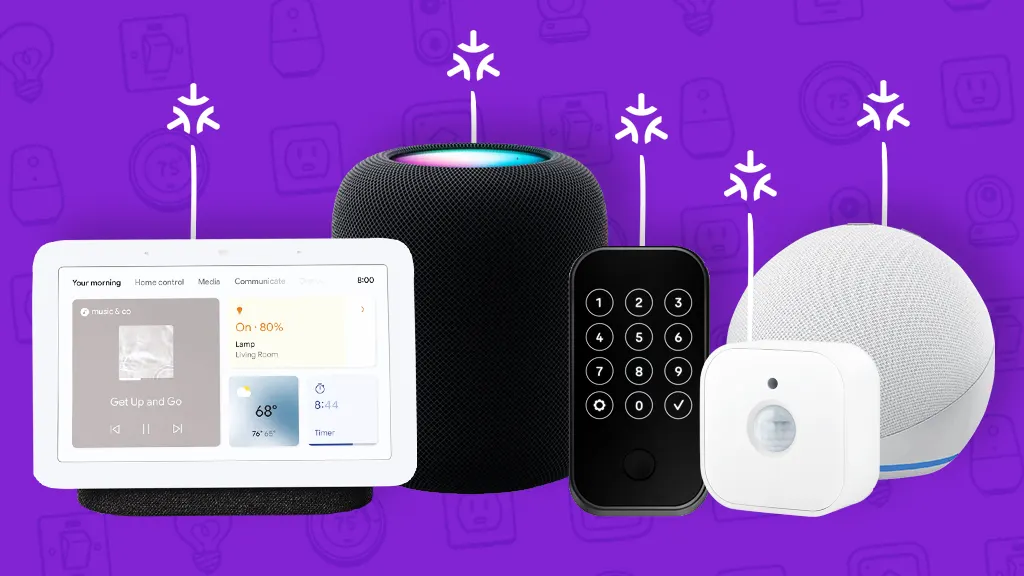
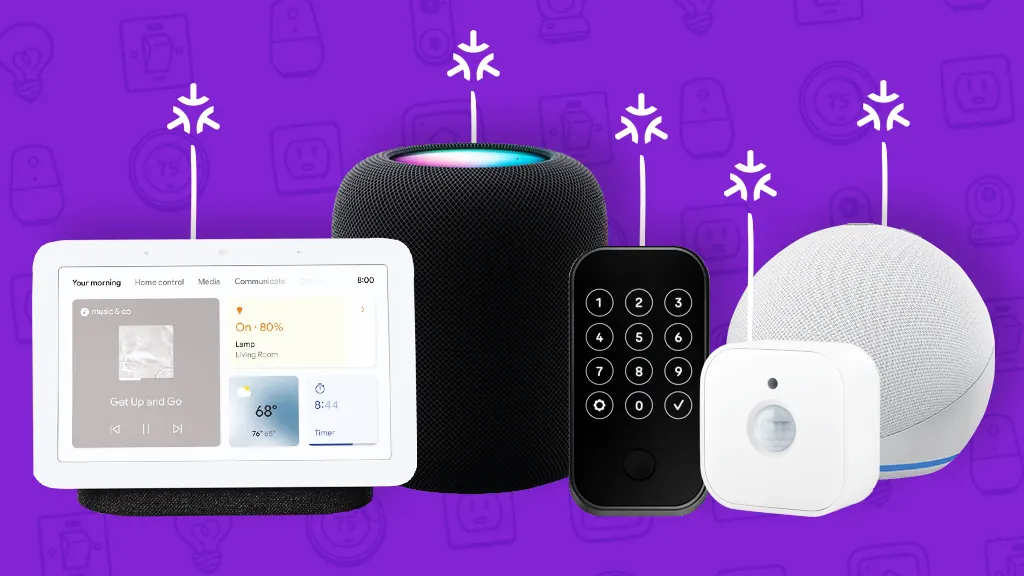
The best Matter hardware right now
Choosing the 'best' Matter devices depends heavily on your existing setup and needs. However, some devices consistently stand out for their reliability, features, and commitment to the Matter standard. I’ve focused on devices that feel genuinely built for a Matter future, not just retrofitted with compatibility.
Philips Hue is still the most reliable lighting pick, provided you use the v3 Bridge. They were slow to join the party, but the integration is solid now. A starter kit is about $60. If you want something more decorative, Nanoleaf’s Shapes and Lines panels ($200) are fully compatible and don't need a proprietary bridge to talk to other Matter gear.
For thermostats, the ecobee Smart Thermostat Premium (approximately $250) is a standout. It’s Matter-certified and works seamlessly with Apple HomeKit, Amazon Alexa, and Google Home. It also boasts excellent energy-saving features and remote sensors. Honeywell’s Home T9 Smart Thermostat (around $200) is another solid option, offering similar functionality and Matter support. Both are a significant upgrade over older, proprietary systems.
When it comes to security, the Aqara Security Camera G2C ($140) is a great choice. Aqara has been a strong supporter of Matter from the beginning, and their devices are known for their reliability and affordability. The G2C offers excellent video quality, local storage options, and seamless integration with Matter networks. Eve Systems’ Matter-certified door and window sensors (around $40 each) are also worth considering for a comprehensive security setup. They are known for their privacy-focused approach and direct integration with Apple HomeKit.
For entertainment, the Samsung 65-inch Class QLED 4K Smart TV (QN90D, around $1600) is a strong option, as Samsung has been a driving force behind Matter. It integrates seamlessly with SmartThings and other Matter devices. Sonos’ Era 300 speaker ($430) is also Matter-certified and delivers exceptional sound quality. It’s a premium option, but well worth the investment for audiophiles.
Finally, the Level Lock+ Connect (around $280) is a notable smart lock. It offers keyless entry, remote access, and seamless integration with Matter. It's a bit pricey, but provides a high level of security and convenience. It's important to check compatibility with your existing door hardware before purchasing.
Featured Products

White and Color Ambiance lighting · E26 base, 800 lumens · Works with Alexa, Google, and Apple Home
These Matter-certified smart bulbs offer vibrant colors, high brightness, and broad compatibility, making them ideal for tech enthusiasts building a unified smart home ecosystem in 2026.

1000 lumens, 16M+ RGBTW color changing · A19 E26 base, 60W equivalent · Works with Alexa & Google Home via WiFi and Bluetooth
These Matter-certified smart bulbs offer vibrant colors, high brightness, and broad compatibility, making them ideal for tech enthusiasts building a unified smart home ecosystem in 2026.

Matter over Thread connectivity · App and voice control · 100% privacy focused
These Matter-certified smart plugs offer seamless integration and enhanced privacy, crucial for tech enthusiasts building a unified smart home ecosystem in 2026.

Bluetooth and WiFi connectivity · Color changing lights with music sync · Compatible with Alexa and Google Home
These Matter-certified smart bulbs offer vibrant colors and dynamic effects, making them ideal for tech enthusiasts building a unified smart home ecosystem in 2026.

RGBIC LED technology for dynamic effects · Modular design with 2 panels (3 sections/panel) · Compatible with SmartThings
These Matter-certified smart lights offer customizable RGBIC effects and broad compatibility, making them ideal for tech enthusiasts building a unified smart home ecosystem in 2026.
As an Amazon Associate I earn from qualifying purchases. Prices may vary.
Do you actually need a hub?
Not every Matter device requires a dedicated hub, which is a huge improvement over previous smart home protocols. Many devices can connect directly to your Wi-Fi network and be controlled through a compatible border router. However, some devices, like certain Philips Hue lights or Aqara sensors, still rely on a hub or bridge to function fully.
Ecosystems like Philips Hue require their Hue Bridge for full functionality. The bridge acts as a central controller for your Hue lights, enabling features like scenes and automation. Without it, you’re limited to basic on/off control. Other ecosystems, like Amazon Alexa and Google Home, can act as border routers, eliminating the need for a separate hub for many devices.
A dedicated Matter hub, like the Aqara Hub M3 ($80), offers more control and flexibility. It can connect devices using multiple protocols (Wi-Fi, Zigbee, Thread) and provides a more robust and reliable connection. Border routers, while convenient, can sometimes be less stable and may not support all Matter features. The Samsung SmartThings Hub (v3, around $100) is another excellent option, supporting a wide range of devices and protocols.
The choice between a dedicated hub and a border router depends on your needs. If you have a lot of devices that require a hub, or if you want more control and reliability, a dedicated hub is the way to go. If you have a smaller setup and primarily use devices that can connect directly to your Wi-Fi network, a border router may be sufficient.
Matter 2.0 Hub/Border Router Comparison - 2026
| Ecosystem | Approximate Price (USD) | Matter Support | Thread Support | Zigbee Support | Bluetooth Support |
|---|---|---|---|---|---|
| Amazon Echo (4th Gen) | Around $100 | Full | No | Limited (via adapter) | Yes |
| Apple HomePod mini | Around $99 | Full | Yes | No | Yes |
| Google Nest Hub Max | Around $229 | Full | Yes | No | Yes |
| Samsung SmartThings Hub (2023) | Around $150 | Full | Yes | Yes | Yes |
| Eve Energy Hub | Around $150 | Full | Yes | No | Yes |
| Aqara Hub M3 | Around $60 | Full | Yes | Yes | Yes |
Illustrative comparison based on the article research brief. Verify current pricing, limits, and product details in the official docs before relying on it.
Where the big ecosystems still clash
Matter’s promise of seamless ecosystem compatibility is largely true, but the experience varies depending on which ecosystem you’re using. Setting up Matter devices with Apple HomeKit is generally the smoothest experience. Apple has been a strong supporter of Matter, and the integration is well-polished. You simply scan the Matter code, and the device is added to your HomeKit setup.
Amazon Alexa setup is also relatively straightforward. You enable the Matter support in the Alexa app and then follow the on-screen instructions. However, some users have reported occasional connectivity issues or delays in device recognition. Google Home integration is similar to Alexa, but can sometimes be a bit more finicky. It’s important to ensure your Google Home app is up-to-date.
Samsung SmartThings offers excellent Matter support, leveraging its robust hub and automation capabilities. Setting up Matter devices with SmartThings is generally seamless, and you can easily create automations that involve devices from different manufacturers. However, some users have reported compatibility issues with certain older devices.
Despite Matter’s best efforts, conflicts can still arise when mixing devices from different manufacturers. For example, a Philips Hue bulb may not respond as quickly to commands issued through Google Home as it does through the Hue app. Software updates are crucial for maintaining compatibility and resolving these issues. Regularly update your hubs, bridges, and devices to ensure they’re running the latest firmware.
- Apple Home: The setup is the fastest I've tested. You scan a code and it's done.
- Amazon Alexa: It's easy to add devices, but I still see 'Device Unresponsive' errors more often than I'd like.
- Google Home: Similar to Alexa, can be a bit finicky.
- Samsung SmartThings: Excellent support, some compatibility issues with older devices.
Security and privacy
Matter significantly improves smart home security compared to previous protocols. It utilizes authenticated commissioning, which requires you to verify the identity of a new device before it can connect to your network. This prevents unauthorized devices from joining your system.
Matter also employs encryption to protect your data in transit. All communication between devices is encrypted, making it more difficult for hackers to intercept your information. However, no system is foolproof. It’s still important to practice good security hygiene, such as using strong passwords and enabling two-factor authentication.
Network segmentation is another important security measure. Isolating your smart home devices on a separate network can prevent attackers from gaining access to your sensitive data if one device is compromised. While Matter itself doesn’t handle network segmentation, it’s a best practice to implement at the router level.

Eve Aqua – Smart Water Controller for Apple Home app or Siri, irrigate Automatically with schedules, Easy to use, Remote Access, no Bridge, Bluetooth/Thread, HomeKit
- Matter 2.0 compatible for seamless smart home integration
- Automated irrigation with customizable schedules
- Remote access via Apple Home app or Siri
- No bridge required, connects via Bluetooth/Thread
- Easy setup and user-friendly interface
The Eve Aqua Smart Water Controller is a standout Matter 2.0 device, offering effortless automated watering and full compatibility with Apple HomeKit, making it an ideal choice for tech enthusiasts seeking unified smart home control.
View on Amazon →As an Amazon Associate I earn from qualifying purchases.

No comments yet. Be the first to share your thoughts!